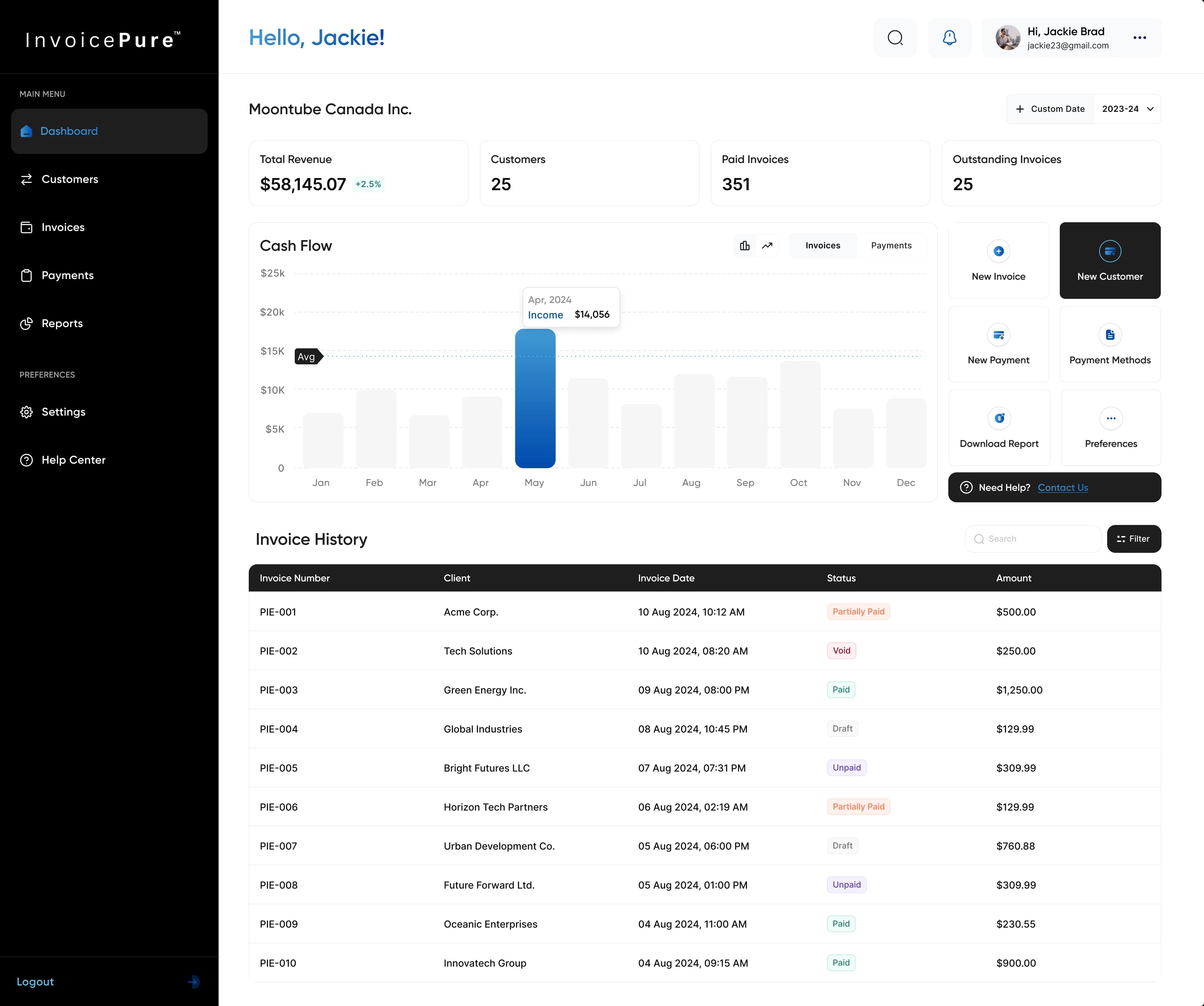
Payment Processing Platform dashboard inside a 16-inch M4 MacBook Pro
Payment Processing PlatformPayments × Operations
PPPayment Processing Platform

Payment Processing Platform

A complete web and mobile platform for managing payments, business cards, transfers, billing, and financial reporting. We built a connected workspace that brings everyday money movement and the records behind it together.

Industry
Fintech & Payments
Platform
Web & Mobile
Scope
End-to-End Product Development
Status
Built & Delivered

What We Delivered

  • Payments & transfersTransaction tracking, recipient payments, and currency conversion.
  • Cards & spend controlsCompany and employee cards with configurable spending limits.
  • Customers & billingCustomer records, billing performance, and subscription analytics.
  • Reporting & reconciliationSettlement reports, account statements, and receipt matching.

TL;DR — Project Summary

One workspace for the full picture of business payments.

We delivered a payment processing product that connects balances and transaction activity with customers, corporate cards, transfers, and billing. Finance teams can monitor spending, review payment status, generate reconciliation and settlement reports, and manage day-to-day activity on desktop. The mobile experience extends card access, recipient transfers, currency conversion, and receipt handling beyond the desk.

Outcomes

  • Connected payment, customer, card, and billing workspaces
  • Configurable card controls and clear transfer status
  • Reconciliation, settlement, and account reporting in one place
  • Mobile access to cards, transfers, conversions, and receipts
Payment Processing Platform dashboard on an iPad

Opportunity

Payment processing extends beyond the moment money changes hands. Teams need to understand who a payment belongs to, where a transfer stands, how spending affects available balances, and which records explain settlement. We built the platform around these everyday questions, connecting operational dashboards and detailed registers with focused mobile tasks. A consistent navigation and visual system keeps dense financial information readable across the product.

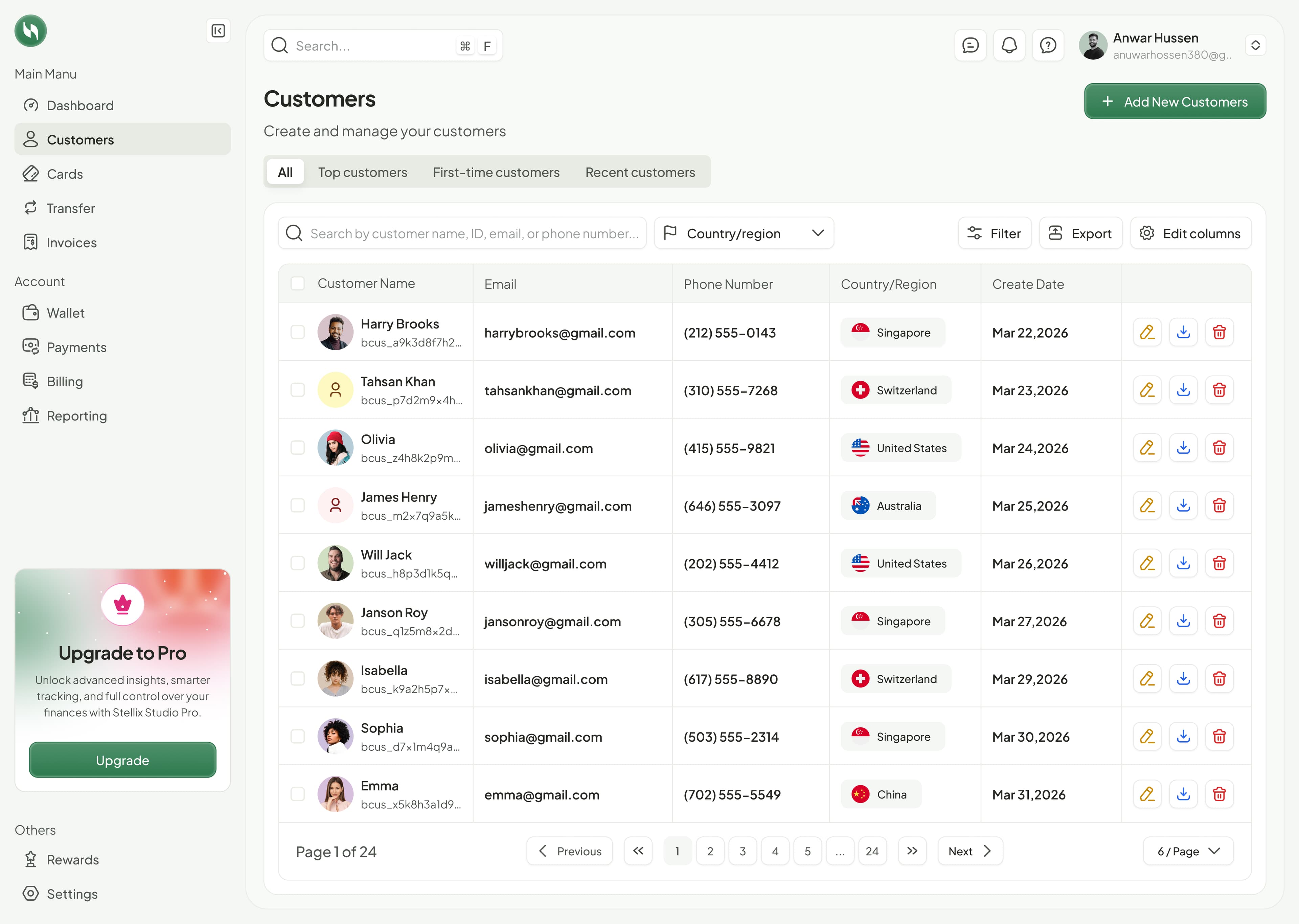
Payment Processing Platform customer management workspace

Customer context behind every payment

The customer workspace gives teams a structured directory for managing the people and businesses they transact with. Records bring contact information, customer identifiers, location, and creation date into one searchable view.

  • All, top, first-time, and recent customer views
  • Search by name, ID, email, or phone with country and region filtering
  • Customer creation, editable columns, and export controls
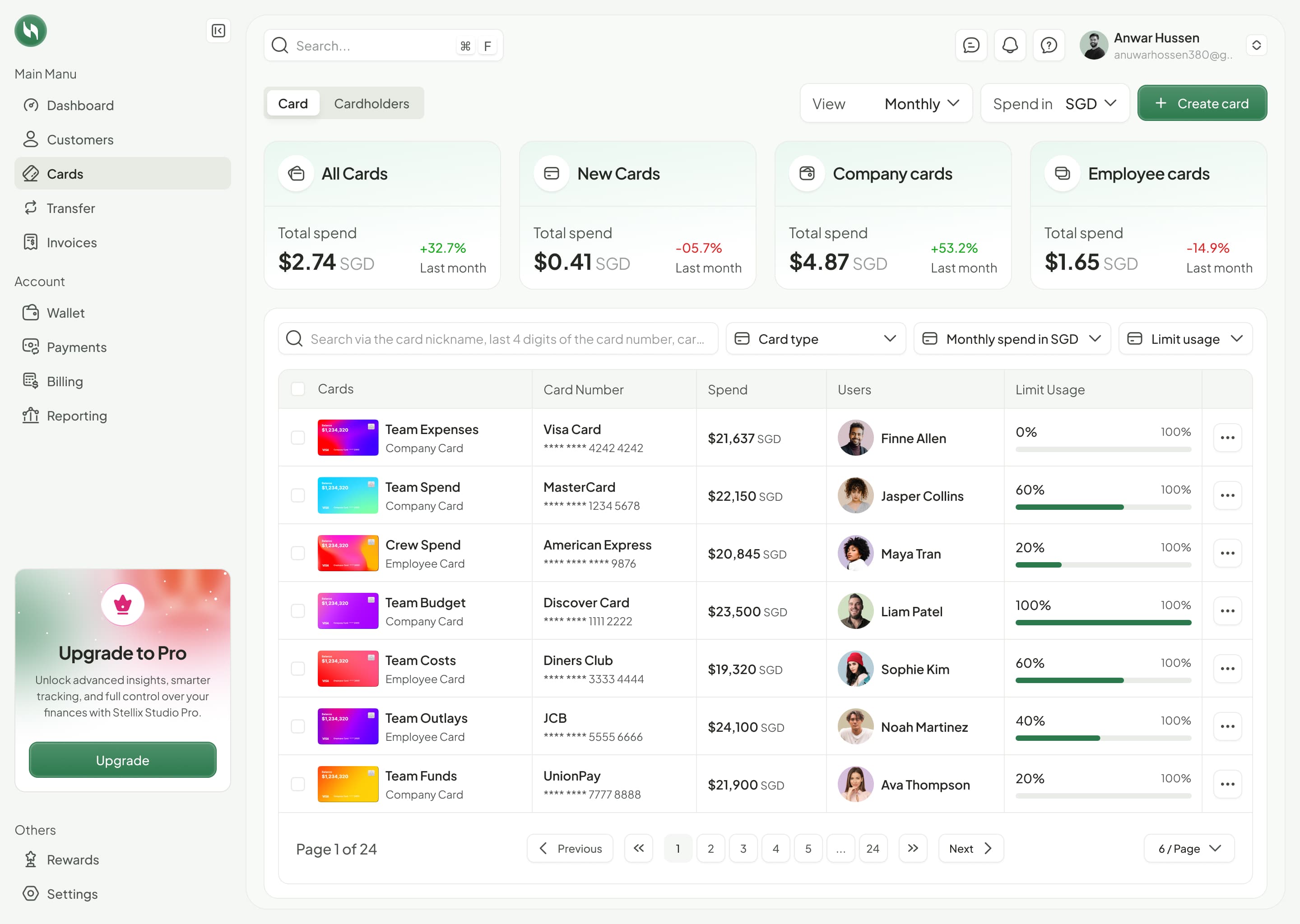
Business card register showing cardholders, spend, and limit usage

Company and employee spending in one view

The cards workspace combines a portfolio-level spending overview with individual card records. Administrators can distinguish company and employee cards, identify the assigned user, and review how much of each limit has been used.

  • Spending summaries for all, new, company, and employee cards
  • Search by nickname or card digits and filter by type and usage
  • Masked card numbers, cardholder ownership, and visible limit utilization
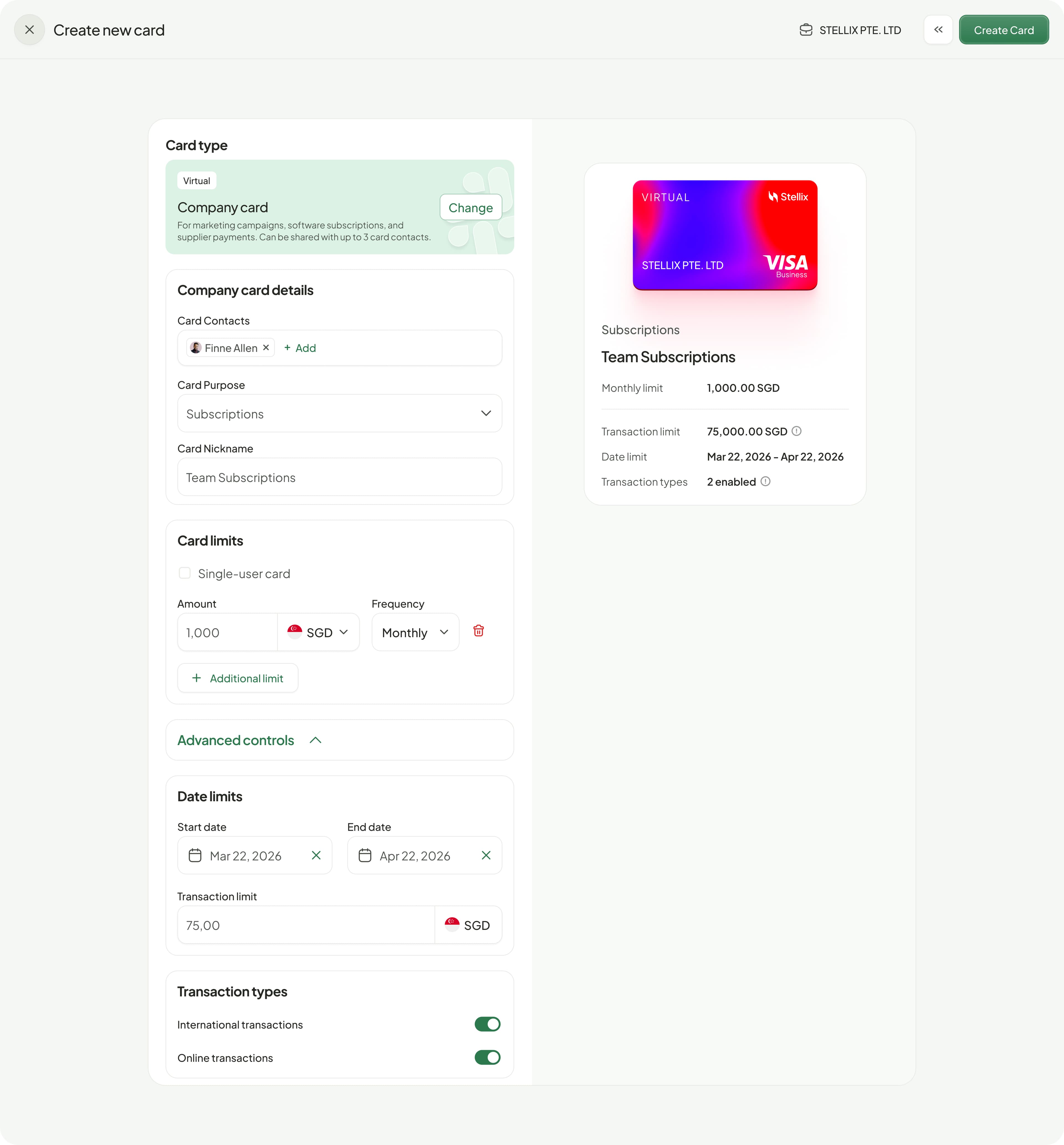
Virtual card creation with spending limits and transaction controls

Card creation with spending rules built in

Card setup brings purpose, ownership, and financial controls together before a card is created. The configuration stays beside a card preview and summary so administrators can review the selected rules in context.

  • Virtual company card setup with contacts, purpose, and nickname
  • Amount, currency, frequency, and additional spending limits
  • Start and end dates, transaction limits, and international or online transaction controls
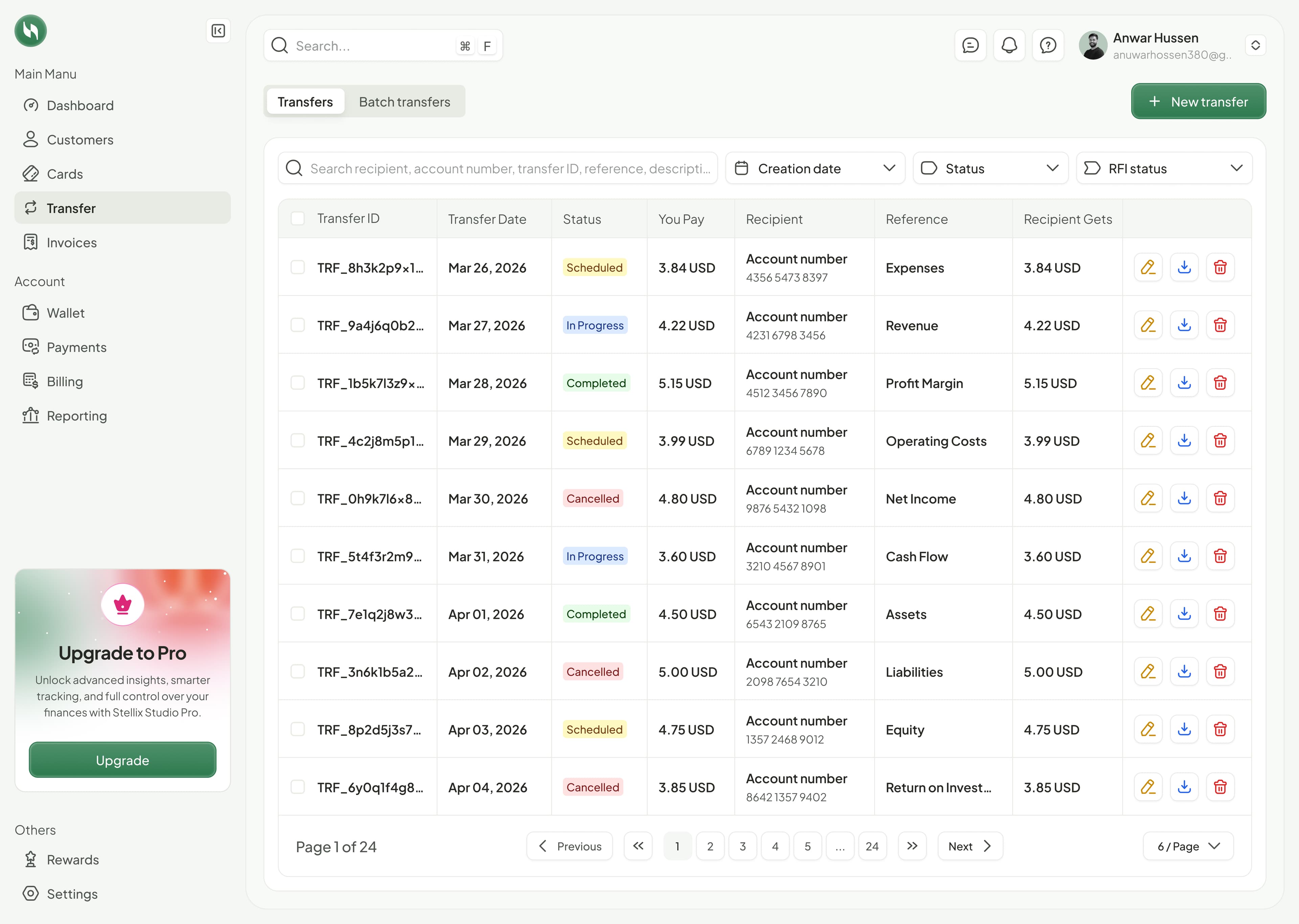
Transfer register with recipient amounts and processing states

Track transfers from scheduling to completion

A dedicated transfer register shows what was sent, who receives it, and where it stands. Teams can review scheduled, in-progress, completed, and cancelled transfers without losing the payment reference or recipient account context.

  • Individual and batch transfer views with a new-transfer action
  • Search by recipient, account, transfer ID, or reference
  • Creation date, transfer status, and RFI status filters
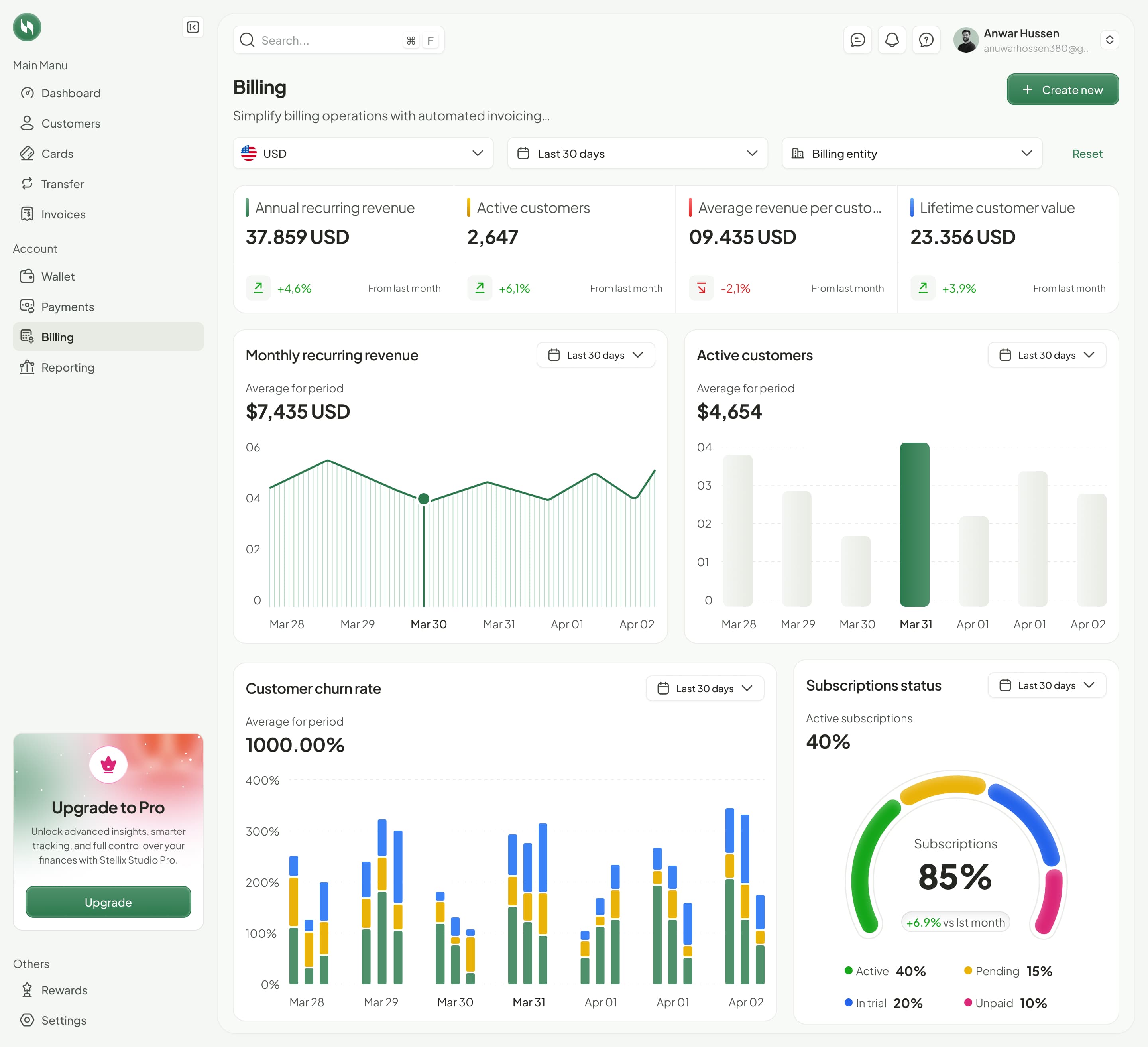
Billing analytics showing revenue, customer activity, and subscription status

Billing performance beyond individual transactions

The billing workspace brings recurring revenue, customer activity, and subscription status into a single analytical view. Currency, date-range, and billing-entity filters keep the review tied to the right business context.

  • Annual and monthly recurring revenue with period comparisons
  • Active customers, average revenue per customer, and lifetime value
  • Customer churn and active, pending, trial, and unpaid subscription breakdowns
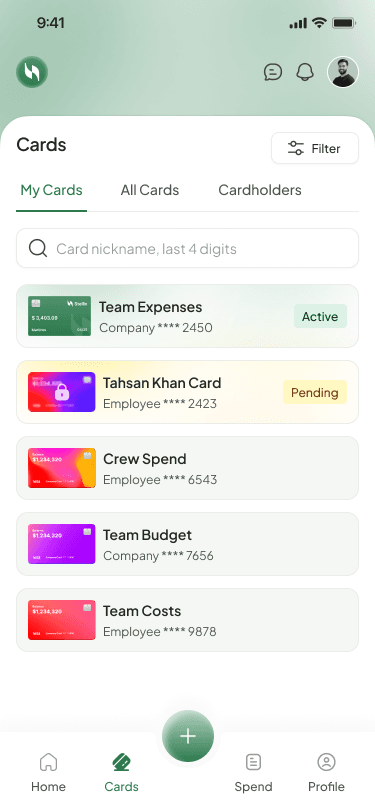
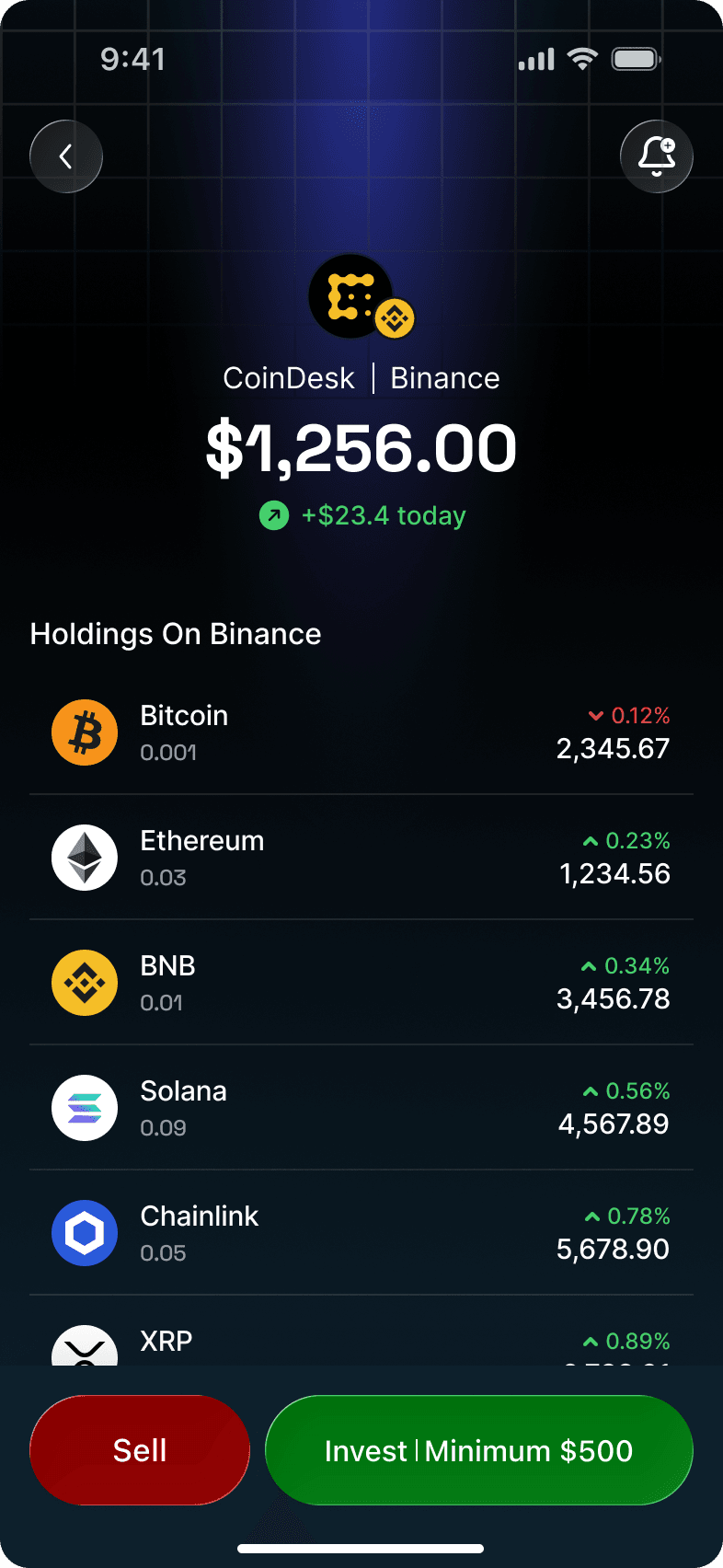
Mobile card list with card ownership and status

Cards within reach on mobile

The mobile card workspace keeps everyday card access focused. Cardholders can find their own cards while retaining access to all-card and cardholder views, with clear ownership and status information on each record.

  • My Cards, All Cards, and Cardholders navigation
  • Nickname and last-four-digit search with filtering
  • Company and employee labels, masked numbers, and active or pending states
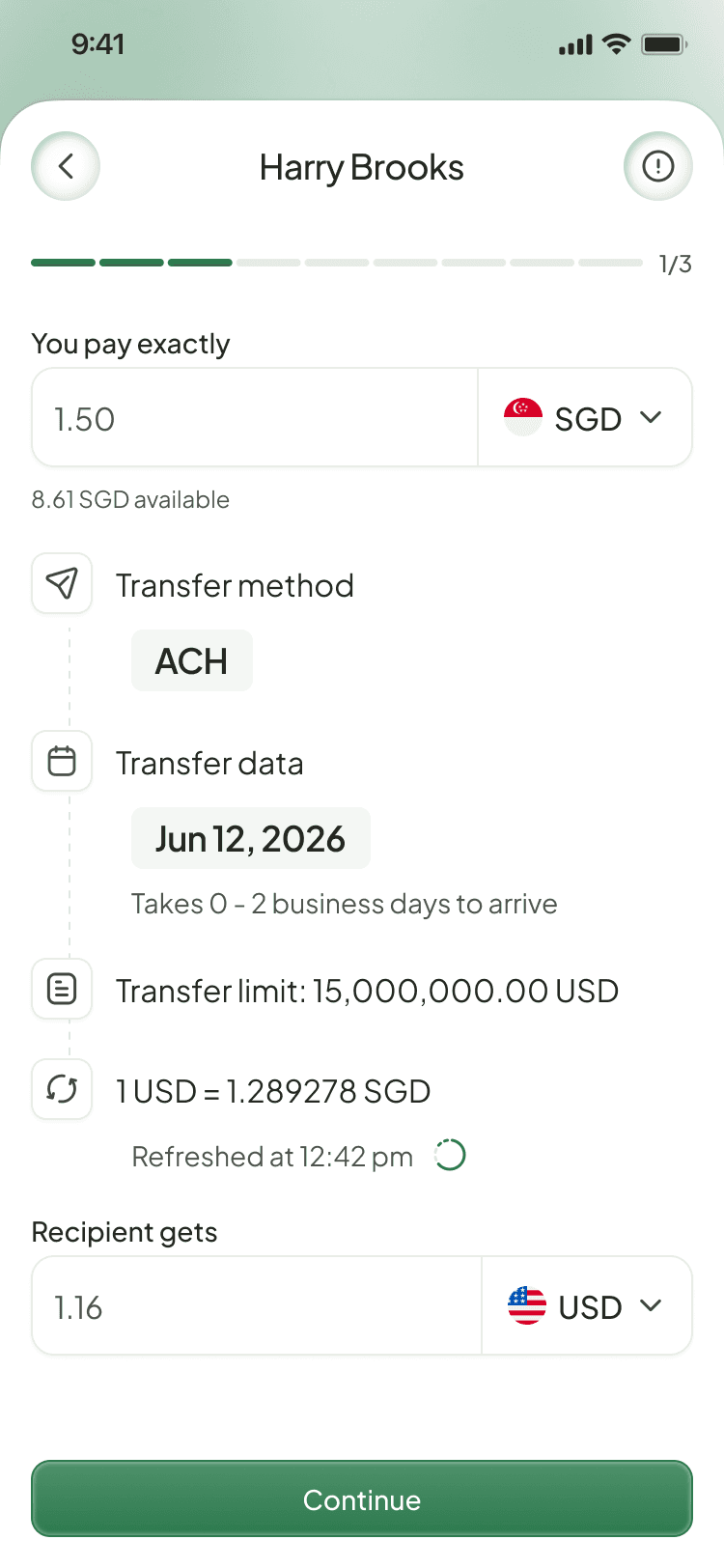
Mobile recipient transfer showing currencies, method, rate, and recipient amount

Recipient transfers with the details up front

The mobile transfer experience keeps the recipient and payment amount at the center of the task. Before continuing, the sender can review the source balance, transfer method, expected arrival window, exchange rate, and destination amount.

  • Source and recipient amounts shown in their respective currencies
  • Transfer method, date, arrival estimate, and limit information
  • Exchange-rate context and refresh time alongside the payment details
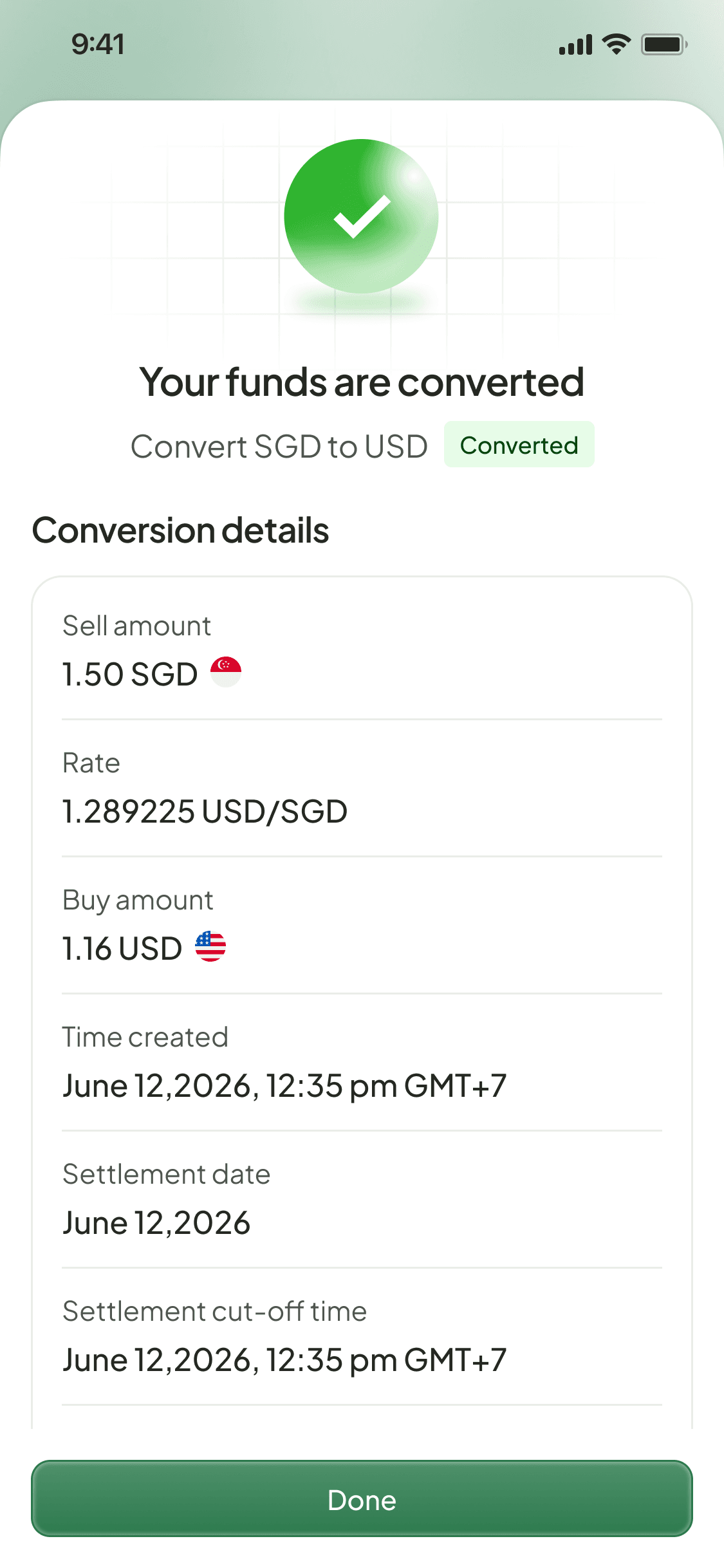
Completed mobile currency conversion with amounts and settlement details

A clear record of completed currency conversion

The conversion confirmation provides an explicit completion state and a detailed record of the exchange. Users can review both sides of the conversion and the settlement information before returning to their account.

  • Completed conversion status with source and destination currencies
  • Sell amount, exchange rate, and buy amount
  • Creation time, settlement date, and settlement cut-off time
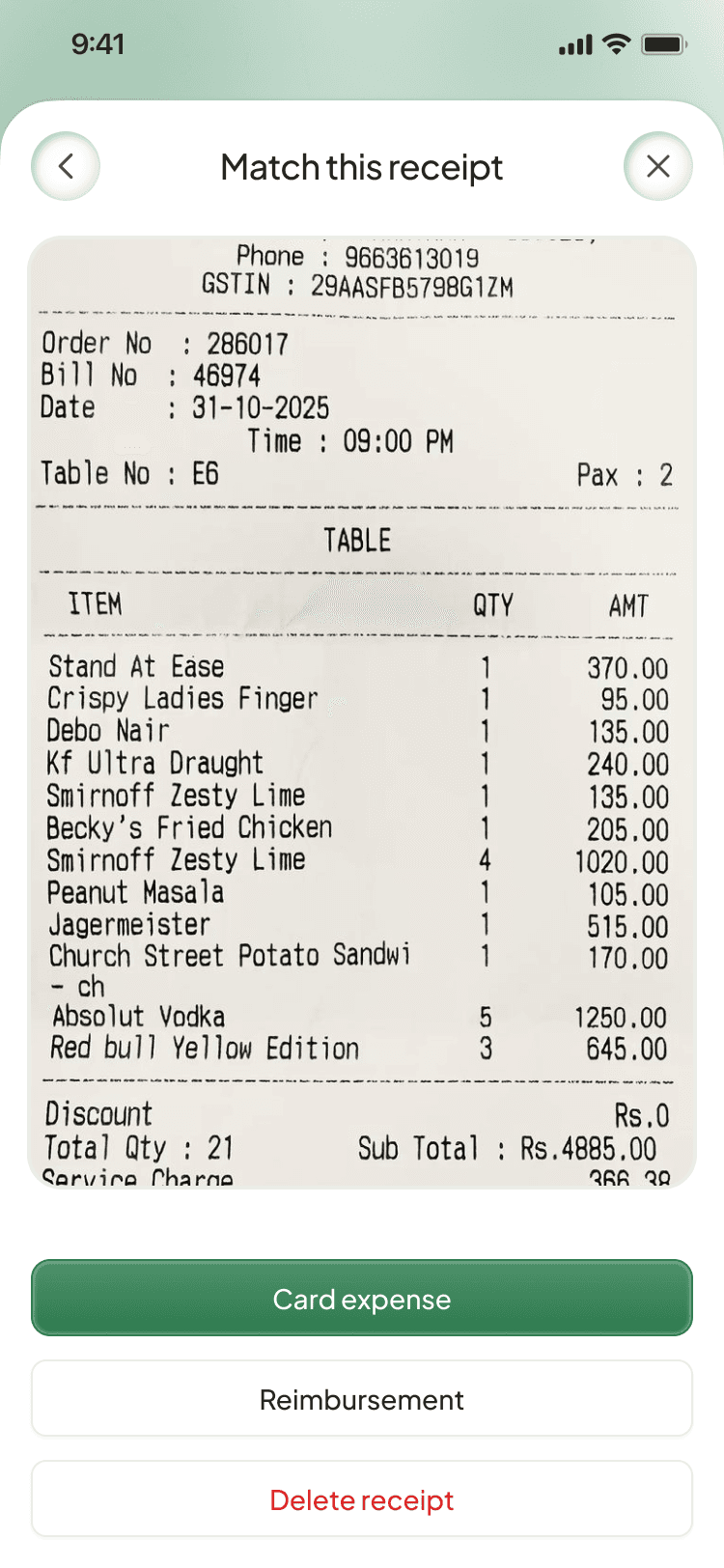
Mobile receipt matching with card expense and reimbursement options

Connect receipts to the spending they explain

Receipt handling brings supporting evidence into the mobile expense workflow. Users review the captured receipt and choose whether it belongs to a card expense or a reimbursement, keeping documentation close to the activity it supports.

  • Full receipt preview before matching
  • Dedicated card-expense and reimbursement actions
  • Receipt removal when a document is no longer needed
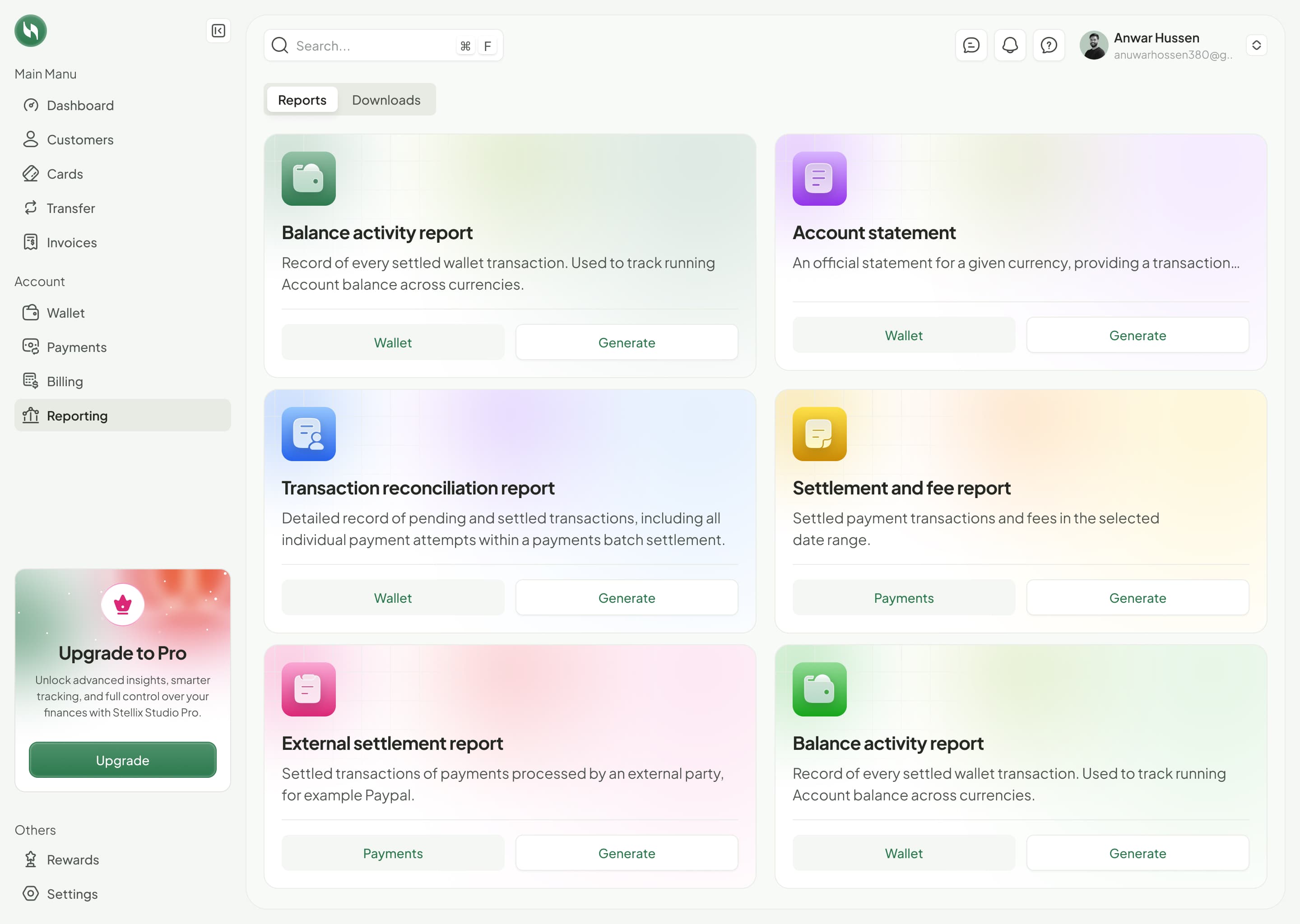
Financial report library covering reconciliation, settlement, fees, and account activity

Reports that connect activity, reconciliation, and settlement

The reporting workspace gives finance teams dedicated outputs for different review tasks. Balance activity and account statements sit alongside transaction reconciliation and settlement reports, with a downloads area for accessing generated records.

  • Wallet balance activity and currency-specific account statements
  • Reconciliation reports covering pending and settled transactions and payment attempts
  • Settlement and fee reports plus external settlement reporting
Customer directory with searchable records and regional filters

One workspace for the full picture of business payments.

The product had to accommodate several different working rhythms: a finance team reviewing a large transaction register, an administrator setting card limits, and an employee making a transfer or submitting a receipt. The challenge was to retain the detail each task needed while keeping balances, currencies, ownership, and payment status easy to understand.

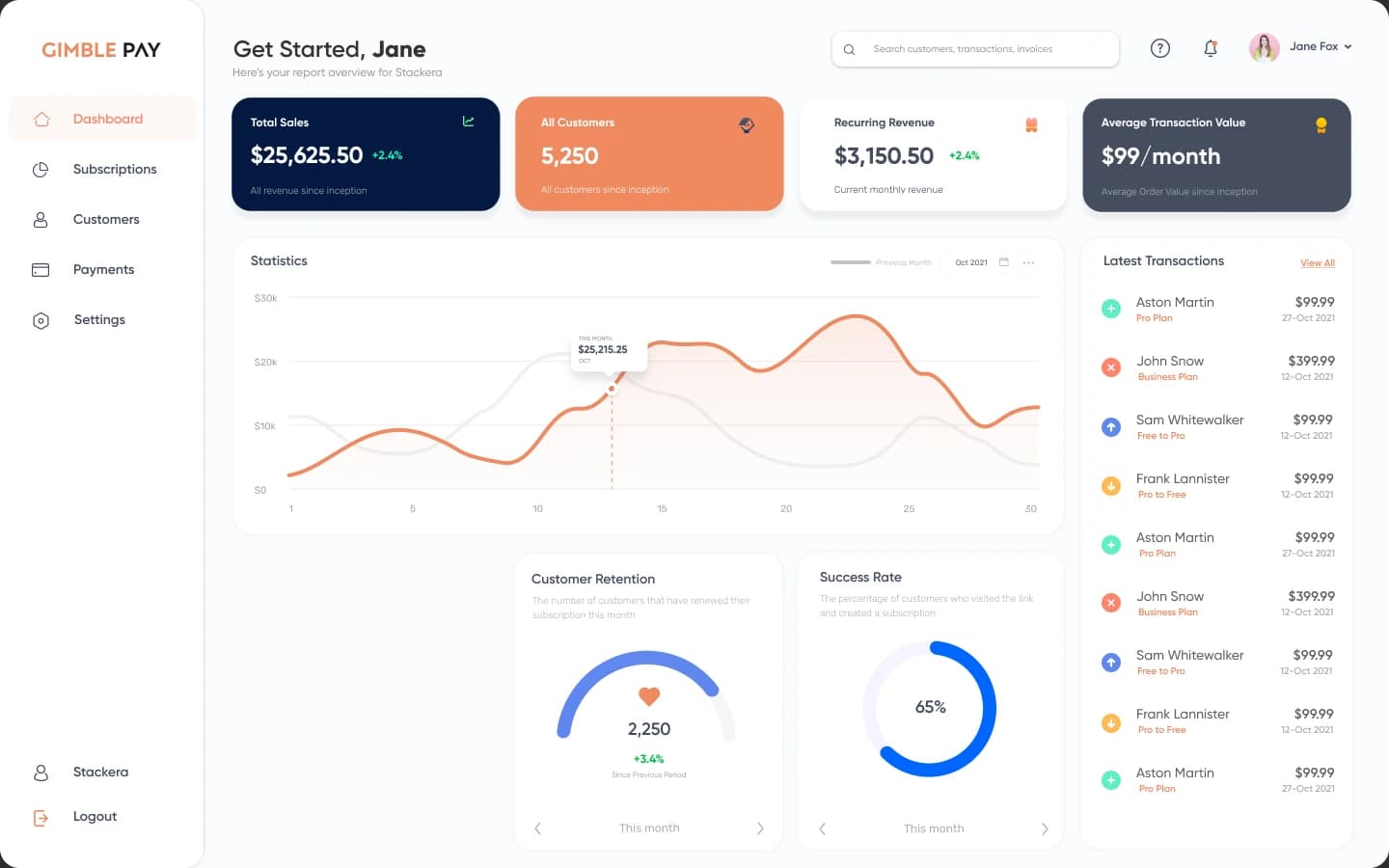
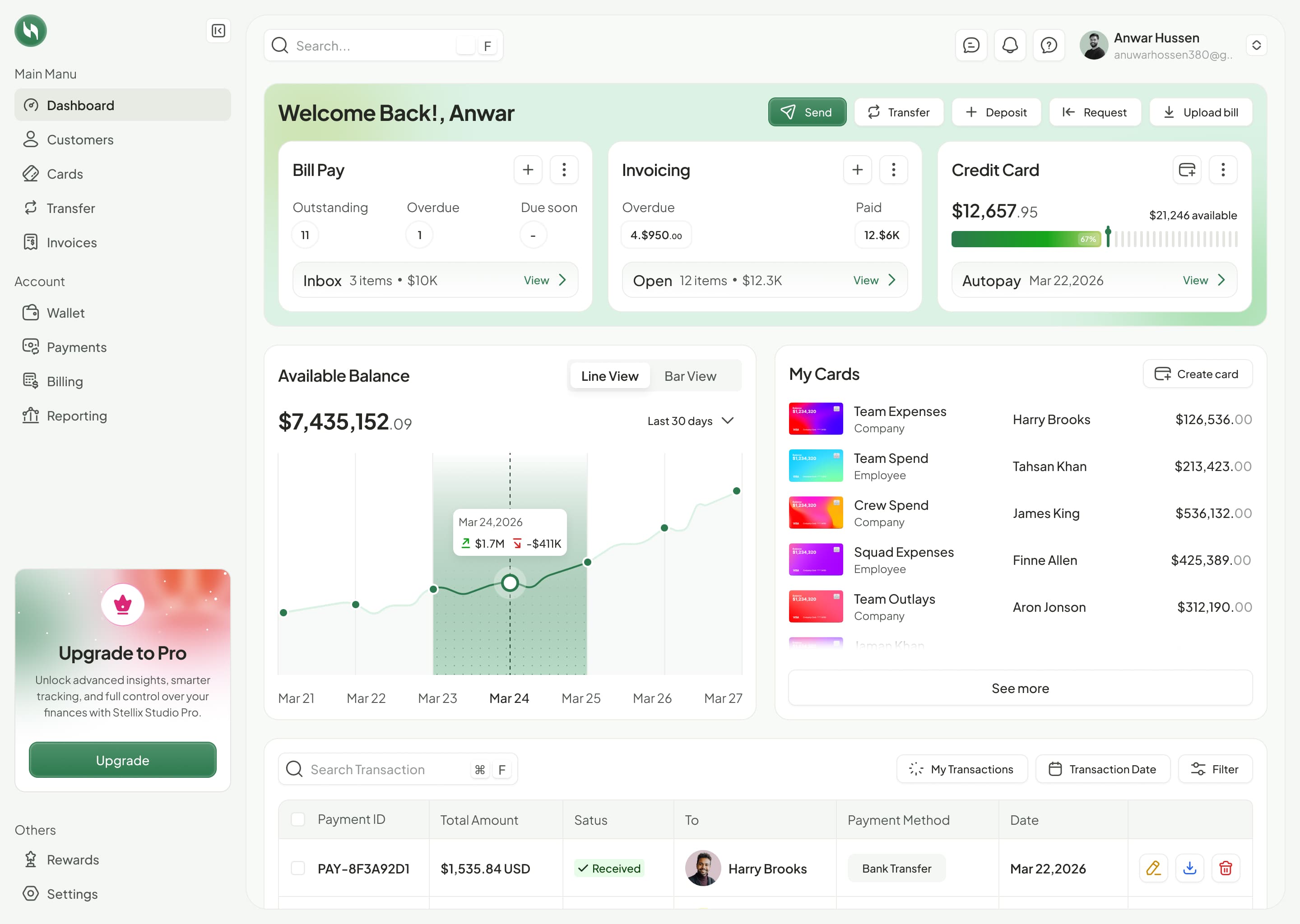
Unified payment processing dashboard

Payment Processing Platform: built around the operating model

We delivered a shared web and mobile experience with overview dashboards, searchable records, explicit status labels, configurable card controls, and dedicated reporting. Desktop workspaces support oversight and analysis; mobile screens bring the amount, recipient, conversion result, or receipt into focus at the point of action.

The Story, in Parts

One project spans multiple capabilities, so each part pairs its own challenge with the solution Stackera built.

  1. Product & Platform Engineering

    Payment Operations

    Challenge
    Balances, transfers, and payment records need clear context for day-to-day decisions.
    Solution
    We connected the overview dashboard to transaction and transfer registers with recipient information, reference fields, currencies, and visible processing states.
  2. Web & Mobile Development

    Cards & Mobile Workflows

    Challenge
    Business spending requires administration controls and an accessible experience for cardholders.
    Solution
    We built company and employee card management, card creation with spending rules, and mobile card, transfer, conversion, and receipt workflows.
  3. Analytics & Reporting

    Financial Visibility

    Challenge
    Operational activity needs to remain understandable in billing reviews and financial reporting.
    Solution
    We delivered billing analytics alongside balance activity, account statements, reconciliation, settlement and fee reports, and external settlement reporting.

Results & Impact

The completed platform brings payment oversight, customer records, business spending, transfers, billing analytics, and reporting into a consistent product. Its mobile workflows keep card access, currency conversion, recipient payments, and receipt evidence available wherever the work happens.

Payment Processing Platform · Payment Processing Platform

Delivered as one connected financial workspace. We delivered a payment processing product that connects balances and transaction activity with customers, corporate cards, transfers, and billing. Finance teams can monitor spending, review payment status, generate reconciliation and settlement reports, and manage day-to-day activity on desktop. The mobile experience extends card access, recipient transfers, currency conversion, and receipt handling beyond the desk.

Impact Metrics

Web + Mobile
Connected product experience
Configurable
Card spending controls
Multi-currency
Transfers and conversion
Integrated
Financial reporting

Why It Matters

The completed platform brings payment oversight, customer records, business spending, transfers, billing analytics, and reporting into a consistent product. Its mobile workflows keep card access, currency conversion, recipient payments, and receipt evidence available wherever the work happens.

See what a connected payment processing platform could change in your operating model.

Book a demo

Reimagine the World
With Your Ideas

Let's turn your institutional vision into a digital reality. Book your strategy session today.

Book a Strategy Session

Contact Us

We are always ready for intriguing conversations

Reach out to us:

From:The Founders Of Next Generation

To:Stackera

Someone from our team will reach out in the next 24hrs, we look forward to the conversation